The play designer
A whiteboard that actually moves
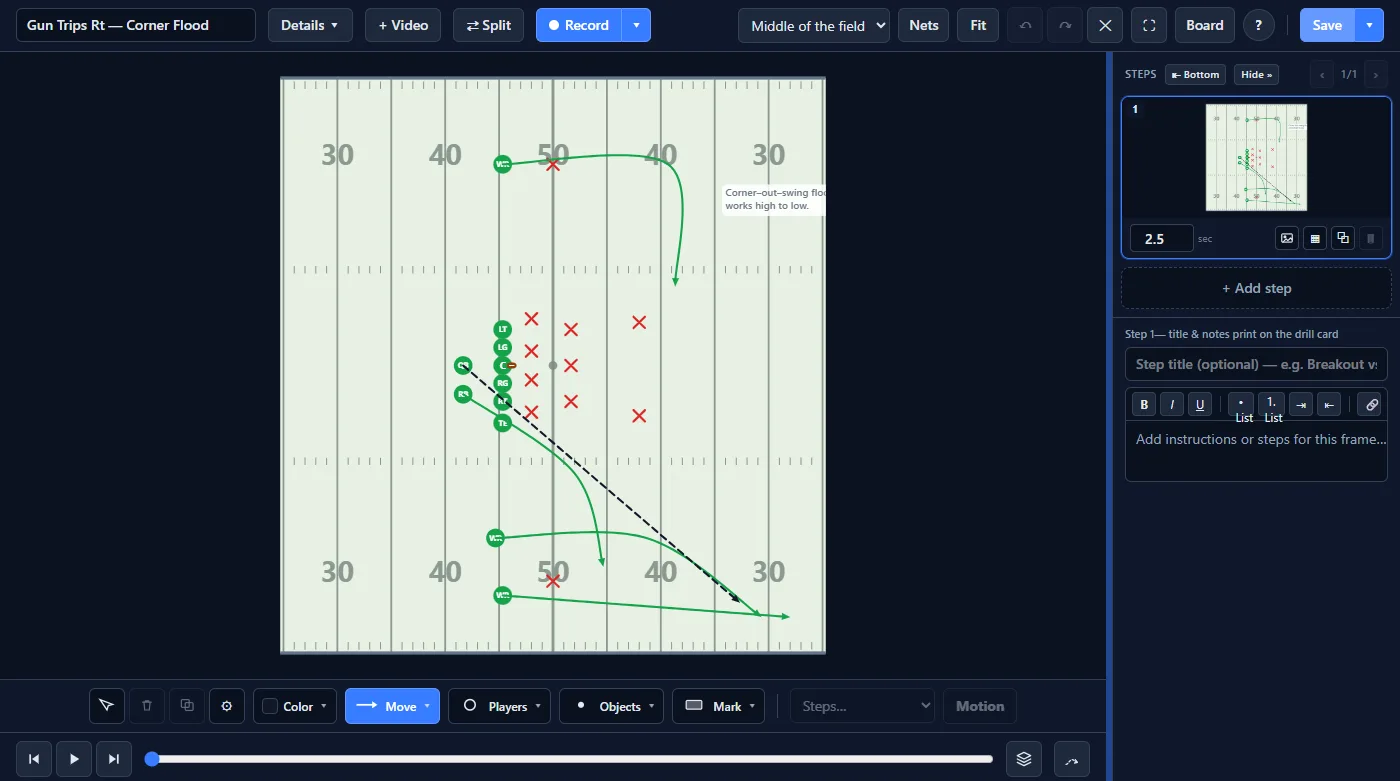
Set your formation, draw routes, blocking assignments and coverages, and attach motion so the play animates step by step — on a full 11-man field at true scale.
benchiq.football
01
Design plays the way you call them
- True-to-scale field with end zones, yard lines, hashes and goalposts — full field, vertical, half-field, red zone and midfield views
- Position tokens for every group: QB, RB, FB, WR, TE, the full offensive line, defense and special teams
- Routes, ball-carrier lanes, passes, kicks, backpedal and shuffle — with arrows coaches recognize
- One-click formations: I-Form, Shotgun 3WR, Trips, 4-3, 3-4 and punt — snapped to the hash grid
- Highlights, zones, freehand pen and text callouts for teaching detail
02
Then press play
- Step-by-step animation: players ride their routes from step to step
- Per-player timing and easing, onion-skin ghosting, and a scrubbable timeline
- Per-step titles and rich-text descriptions that print on the play card
- Record the field as you draw and talk — a narrated install players can rewatch
- Export a branded PDF play card, a still image, or an animated clip
03
Built for the sideline
- Touch-first: draw with a finger or pencil on a tablet at the field
- Works in the browser — no install required, nothing to configure
- Explicit save with unsaved-changes protection, plus undo/redo throughout
Your next install starts on the whiteboard
Jump straight into the play designer — no account needed to start drawing.